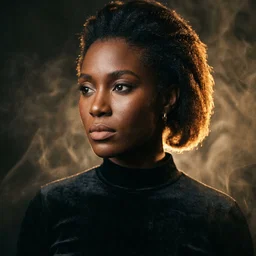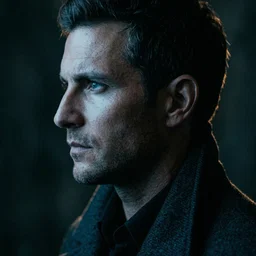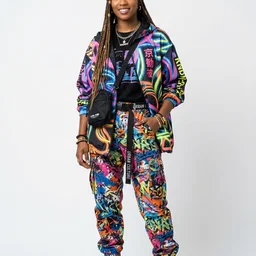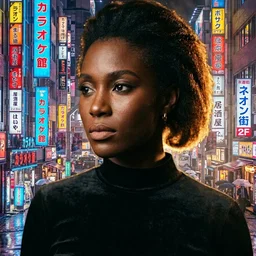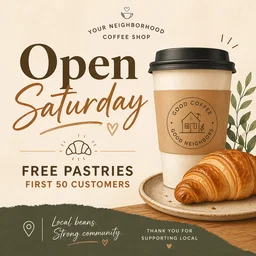
Marketing posters with text
Product launch posters, social ad creatives, event flyers — with accurate, legible headlines and body copy in any language. The same kind of in-image text quality you'd get from ChatGPT, no Plus required.
The same GPT Image 2 model that powers ChatGPT Images 2.0, free on TwoShot. Multilingual text rendering inside images, conversational editing, arbitrary dimensions up to 4K. No OpenAI API key, no ChatGPT Plus, no credit card — free credits on signup.
No ChatGPT Plus subscription, no OpenAI API key, no Discord. TwoShot gives you the same underlying GPT Image 2 model with free credits on signup.
No download, no OpenAI API key, no ChatGPT Plus. Browser-based with free credits on signup.
Describe the image — scene, style, composition, text you want inside the image. Mix in up to 16 reference photos for editing.
Square, landscape, portrait, ultrawide — anything from 3:1 to 1:3. Or leave on auto and the model picks the best fit.
Don't like it? Just say what to change. The same model edits and regenerates without losing your reference images.
Same underlying model in many cases — different cost, friction, and bundled tools. Here's how the ChatGPT image generator on TwoShot stacks up.
GPT Image 2's strongest territory: any image where text and layout matter as much as the imagery itself. Here's where it really shines.
Product launch posters, social ad creatives, event flyers — with accurate, legible headlines and body copy in any language. The same kind of in-image text quality you'd get from ChatGPT, no Plus required.
Generate hero images, section dividers, and concept illustrations for Keynote, Google Slides, or PowerPoint. Layout-aware composition handles the structure, you handle the deck.
Data-heavy visuals where labels, arrows, and annotations must land in the right place. Thinking mode plans the layout before rendering, so your callouts don't end up illegible.
Upload up to 16 reference images and edit conversationally — swap backgrounds, remove objects, change lighting, restore old photos, combine multiple sources. Multi-turn refinement until it's right.
Generate web hero sections, app screen concepts, and UI mockups with accurate button labels, menu items, and placeholder copy. Strong layout hierarchy makes design handoff easy.
Comic frames with speech bubbles, sound effects, and narrative text rendered inside the image. Multilingual support means the same panel works in EN, JP, KR, ZH without redrawing.
Create your first image in seconds. No ChatGPT Plus subscription, no OpenAI API key, no credit card. Free credits on signup, then pay-as-you-go if you want more.
The ChatGPT image generator is OpenAI's built-in tool for creating images from text descriptions inside ChatGPT. As of April 2026, it's powered by GPT Image 2 (gpt-image-2) — OpenAI's latest model with reasoning-driven layout, multilingual in-image text rendering, and unified text-to-image plus image editing. ChatGPT Plus and Pro subscribers get access; on TwoShot you get the same underlying model free.
Inside ChatGPT, image generation requires a Plus subscription ($20/month) for unlimited use — free accounts have very limited daily quotas. On TwoShot, GPT Image 2 (the same model powering ChatGPT Images 2.0) is free with credits on signup, no credit card required, and no Plus subscription needed.
ChatGPT itself requires an OpenAI account. TwoShot is the closest no-friction alternative — you get free credits with just an email, no payment method, no Discord, no API setup. The model behind it is GPT Image 2, the same one that powers ChatGPT Images 2.0.
GPT Image 2 is OpenAI's image generation model released April 21, 2026 as part of ChatGPT Images 2.0. It supports thinking-mode layout reasoning, multilingual in-image text rendering with localization, unified text-to-image plus image editing in one model, arbitrary output dimensions (multiples of 16, up to 3840px max edge), and aspect ratios from 3:1 to 1:3.
Yes — and it's GPT Image 2's strongest feature. The model produces accurate, legible, multilingual text directly within images. It supports in-image localization (translating text inside the same composition across languages), making it ideal for posters, infographics, slide decks, app mockups, and any visual where text and layout matter as much as the imagery.
Yes. GPT Image 2 unifies text-to-image and image editing in a single model. Upload up to 16 reference images and describe changes in natural language — swap objects, change backgrounds, localize signage, modify lighting, combine elements. Multi-turn conversational editing lets you iterate until it's right. On TwoShot this works without a ChatGPT subscription.
Same underlying model (GPT Image 2), no subscription required. TwoShot gives you free credits on signup vs ChatGPT Plus's $20/month. You also get music generation, AI video, voice cloning, and a full multimedia studio in the same workspace — ChatGPT only does images and text. On the flip side, ChatGPT bundles its image generator with the full conversational assistant for general tasks.
GPT Image 2 supports arbitrary output dimensions where both edges are multiples of 16, up to 3840 pixels on the longest edge. Total pixels range from roughly 655,000 to 8.3 million. Aspect ratios span 3:1 ultrawide to 1:3 ultratall — including 1:1, 16:9, 9:16, 21:9, 4:3, 3:2, 5:4, and more. Up to 2K (2560×1440) is production-stable; above 2K is experimental.
OpenAI exposes GPT Image 2 via the official Images API at gpt-image-2 model ID — pricing is tokenized, roughly $0.21 per 1024×1024 high-quality image. On TwoShot you can use it through the assistant interface today; programmatic access via TwoShot's own API is on the roadmap.
GPT Image 2 leads on text rendering, layout reasoning, image editing, and prompt adherence — the strongest all-round model in April 2026. DALL-E 3 (older OpenAI model) is fine but lacks GPT Image 2's reasoning and arbitrary dimensions. Midjourney still wins on stylized artistic output. Pick GPT Image 2 for posters/infographics/text/editing; pick Midjourney for distinctive artistic style.
OpenAI's image generation occasionally hits capacity limits or undergoes maintenance — you'll see errors in ChatGPT during these windows. TwoShot routes through alternative providers when OpenAI is congested, so generation typically stays available. If TwoShot's image creator is also down, check status.twoshot.app or our Discord.
Everything you need to create, transform, and perfect your audio, images, and video
Create original music, beats, and sounds from text descriptions using AI. Any genre, any style.
Create stunning visuals, album covers, thumbnails, and art from text descriptions. Edit and upscale existing images.
Create videos from text or images. Animate photos, create music videos, and produce motion content for social media.
Text-to-speech, voice enhancement, and vocal transformation.
Isolate vocals, drums, bass, and instruments from any track in seconds.
Remove background noise, upscale images, enhance video quality, and polish your media.
Generate custom SFX and foley for games, videos, and podcasts.
Remix tracks in new styles or extend songs seamlessly with AI.
Cowrite lyrics and scripts - draft, refine, and iterate together until every line is right.
Arrange, compose, and produce directly in your browser. Audio, video, images — all in one workspace.
200,000+ royalty-free sounds and samples ready for commercial use.
AI tools for music, video, images, and voice
Turn ideas into tracks faster. Create beats, sounds, and full productions with AI assistance.
Complete video production with AI. Generate videos, images, music, and voiceovers.
Studio-quality audio from any recording. Clean up interviews, enhance voices, and add music.
Production-ready AI for audio, video, and visuals. Full rights clearance, API access, team collaboration.
Transform your creative ideas into tangible sounds with our AI powered tools. Simply describe what you want - "fast drum & bass jungle-style drum loop" or "layered flutes inspired by nature" - and see the magic unfold.
Create stunning visuals from text descriptions. Design album covers, thumbnails, portraits, and art — all through conversation.
Create videos from text or images. Animate photos, produce music videos, and make motion content for social media.
Upload any photo and watch it move. AI-powered motion control turns still images into dynamic dance videos and animations.
Change backgrounds, remove objects, upscale resolution, and edit images through simple conversation. No Photoshop needed.
A creative partner for lyrics and scripts. Get a draft, then go back and forth - refine lines, try new angles, iterate together until it's exactly what you envisioned.
Text-to-speech, voice enhancement, and vocal transformation. Create professional voiceovers in any style or voice.
Isolate vocals, drums, bass, and instruments from any track in seconds. Perfect for remixing, sampling, or creating karaoke versions.
Remove background noise, upscale images, enhance video quality, and polish your media.
Generate custom sound effects and foley for games, videos, and podcasts. From explosions to footsteps, create exactly what you need.
Leverage the power of our AI to reimagine existing samples. Extract particular elements from a sample, or create a completely new sample based on a reference.
Arrange, compose, and produce directly in your browser with our online DAW. Drag and drop samples, add effects, and export your creations.


Explore our library of 200,000+ royalty-free samples. From old-school chops to hyper-pop melodies - chat naturally with stem to find exactly what you need.
From Grammy-winning producers to major labels, see who's creating with TwoShot