

Music Creation
Create original music, beats, and sounds from text descriptions using AI. Any genre, any style.
A practical step-by-step guide to creating videos with ByteDance's most advanced AI model. From your first prompt to downloading finished video with native audio.
You can use Seedance 2.0 in under a minute. There is no software to install, no waitlist to join, and no learning curve beyond writing a good description. This guide covers every step from signup to download, plus the prompt techniques that separate impressive results from mediocre ones.
Six steps from zero to finished video. Each step includes a specific tip that most tutorials skip.
Go to twoshot.app and create a free account. You get credits on signup with no credit card required. The entire platform runs in your browser - there is nothing to download or install.
Describe what you want to see. The more specific your prompt, the better the output. Include the subject, action, setting, camera angle, lighting, and mood. Seedance 2.0 understands cinematography language.
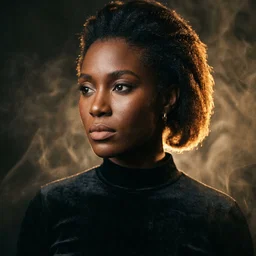
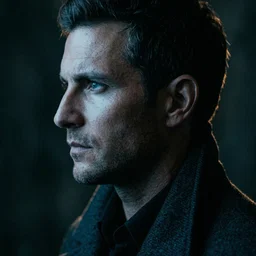
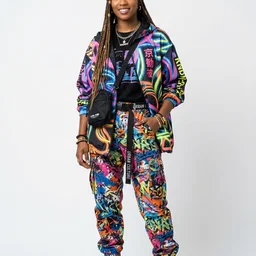
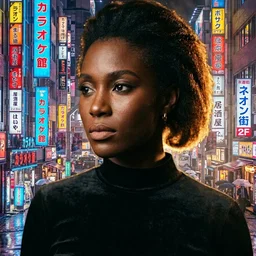
Upload character portraits, style references, or scene compositions to guide the output. Seedance 2.0 accepts up to 12 mixed reference files. This is how you maintain character consistency across multiple clips.
Specify what you want to hear. Seedance 2.0 creates four audio layers - dialogue, foley, ambient, and music - synchronized to the video. You can also upload your own music or voiceover as input.
Fast mode delivers results in seconds and costs fewer credits - ideal for iterating on prompts and exploring ideas. Standard mode takes longer but produces higher-fidelity motion and audio. Start with Fast to nail the composition, then switch to Standard for the final take.
Your video arrives with native audio ready to play. If something isn't right, adjust your prompt and create again. You can also ask the assistant for specific changes like 'same scene but with a wider angle' or 'more dramatic lighting.' Download in full quality when satisfied.
Six detailed prompts across different styles. Each is ready to use - click "Try This" to open it in the assistant.
"Create a Seedance 2 video of a vast desert canyon at sunrise, drone shot slowly pushing forward over the ridge, golden light spilling across red sandstone, wind audible with distant eagle call"
"Create a Seedance 2 video of two friends sitting at a cafe table, one says 'You won't believe what happened yesterday' while the other leans in with curiosity, warm afternoon light through the window"
"Create a Seedance 2 video of a luxury watch rotating slowly on a black velvet surface, soft studio lighting with subtle reflections, close-up macro shot, elegant ambient music"
"Create a Seedance 2 video of a singer performing on a rooftop at night, neon city skyline behind them, camera circling slowly, wind in their hair, dramatic backlighting in purple and blue"
"Create a Seedance 2 video of liquid metal morphing into organic shapes, iridescent rainbow reflections on chrome surface, macro lens, slow motion, ambient electronic soundtrack"
"Create a Seedance 2 vertical video of a street food vendor flipping noodles in a wok with flames, night market background with hanging lanterns, close-up action shot with sizzling sound effects"
These six mistakes account for most disappointing Seedance 2.0 results. Each has a simple fix.
Include subject, action, setting, camera, lighting, and mood. Five specific details beat fifty generic words.
Seedance 2's native audio is a superpower. Specify dialogue, sound effects, ambient atmosphere, and music mood.
Use 9:16 for TikTok/Reels/Shorts. Use 16:9 for YouTube/presentations. Use 1:1 for Instagram feed. Specify in your prompt.
For character scenes, a single reference portrait dramatically improves consistency. Upload faces, outfits, or style boards.
Use Fast mode to iterate on composition and framing. Switch to Standard only for the final version. Saves credits and time.
The assistant has memory. Say 'same scene but at night' or 'zoom out more' instead of rewriting everything.
Yes. Include 'Seedance 2' or 'Seedance 2.0' in your message and the assistant will use that specific model. If you don't specify a model, the assistant selects the best one for your request automatically - for video with audio, it will often choose Seedance 2.0 on its own.
Fast mode typically delivers results in 15-30 seconds. Standard mode takes 1-3 minutes depending on complexity and duration. Both modes are available with free credits on signup.
Both use the same Seedance 2.0 model. Fast mode uses fewer inference steps for quicker delivery at lower credit cost. Standard mode runs the full inference pipeline for more detailed motion, richer audio layers, and finer texture. For most social media content, Fast mode produces excellent results. Both modes are available with free credits.
Seedance 2.0 supports six aspect ratios: 16:9 (landscape/YouTube), 9:16 (vertical/TikTok), 1:1 (square/Instagram), 4:3 (classic), 3:4 (portrait), and 21:9 (ultrawide/cinematic). Specify your preference in the prompt or let the assistant choose based on your description.
Yes. Upload music, voiceover, or sound effects and Seedance 2.0 will use your audio to influence the tone and mood of the generated visuals. This is especially powerful for music videos - the model uses your audio as a style reference. You can also combine your audio with text descriptions for hybrid input.
Upload a clear reference image of your character (frontal portrait works best). Seedance 2.0 preserves facial features, clothing, and build across the video. For multi-clip projects, use the same reference image in each request and describe what changes (setting, action) while keeping the character constant.
Everything you need to create, transform, and perfect your audio, images, and video
Create original music, beats, and sounds from text descriptions using AI. Any genre, any style.
Create stunning visuals, album covers, thumbnails, and art from text descriptions. Edit and upscale existing images.
Create videos from text or images. Animate photos, create music videos, and produce motion content for social media.
Text-to-speech, voice enhancement, and vocal transformation.
Isolate vocals, drums, bass, and instruments from any track in seconds.
Remove background noise, upscale images, enhance video quality, and polish your media.
Generate custom SFX and foley for games, videos, and podcasts.
Remix tracks in new styles or extend songs seamlessly with AI.
Cowrite lyrics and scripts - draft, refine, and iterate together until every line is right.
Arrange, compose, and produce directly in your browser. Audio, video, images — all in one workspace.
200,000+ royalty-free sounds and samples ready for commercial use.
AI tools for music, video, images, and voice
Turn ideas into tracks faster. Create beats, sounds, and full productions with AI assistance.
Complete video production with AI. Generate videos, images, music, and voiceovers.
Studio-quality audio from any recording. Clean up interviews, enhance voices, and add music.
Production-ready AI for audio, video, and visuals. Full rights clearance, API access, team collaboration.
Transform your creative ideas into tangible sounds with our AI powered tools. Simply describe what you want - "fast drum & bass jungle-style drum loop" or "layered flutes inspired by nature" - and see the magic unfold.
Create stunning visuals from text descriptions. Design album covers, thumbnails, portraits, and art — all through conversation.
Create videos from text or images. Animate photos, produce music videos, and make motion content for social media.
Upload any photo and watch it move. AI-powered motion control turns still images into dynamic dance videos and animations.
Change backgrounds, remove objects, upscale resolution, and edit images through simple conversation. No Photoshop needed.
A creative partner for lyrics and scripts. Get a draft, then go back and forth - refine lines, try new angles, iterate together until it's exactly what you envisioned.
Text-to-speech, voice enhancement, and vocal transformation. Create professional voiceovers in any style or voice.
Isolate vocals, drums, bass, and instruments from any track in seconds. Perfect for remixing, sampling, or creating karaoke versions.
Remove background noise, upscale images, enhance video quality, and polish your media.
Generate custom sound effects and foley for games, videos, and podcasts. From explosions to footsteps, create exactly what you need.
Leverage the power of our AI to reimagine existing samples. Extract particular elements from a sample, or create a completely new sample based on a reference.
Arrange, compose, and produce directly in your browser with our online DAW. Drag and drop samples, add effects, and export your creations.



Explore our library of 200,000+ royalty-free samples. From old-school chops to hyper-pop melodies - chat naturally with stem to find exactly what you need.
From Grammy-winning producers to major labels, see who's creating with TwoShot