
Music Creation
Create original music, beats, and sounds from text descriptions using AI. Any genre, any style.
Describe a scene in natural language and Seedance 2 creates cinematic video with four layers of synchronized audio. Your text directs everything - camera movement, lighting, dialogue with lip sync, sound effects, and background music. No assets needed, just words.
Five elements that make a great Seedance 2 prompt. Each one shapes a different dimension of the output.
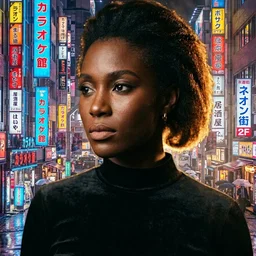
"A woman walks through a rain-soaked Tokyo alley at night"
"tracking behind, slow dolly forward"
"neon reflections on wet pavement, cool blue and hot pink"
"noir atmosphere, melancholy, isolated"
"distant city traffic, her heels clicking on wet concrete"
Full prompts with element annotations. Copy, modify, or use as inspiration for your own scenes.
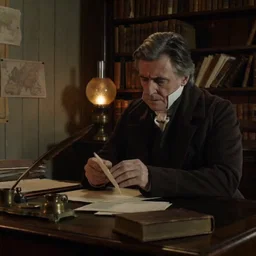
"A detective in a trench coat steps out of a vintage car on a rain-soaked street. Camera tracks from behind as he walks toward a neon-lit bar. Cold blue streetlights mix with warm amber from the bar windows. Moody, tense atmosphere. Sound of rain hitting metal, car door closing, distant jazz from inside the bar."
"A dragon circles above a medieval castle at dawn, its wings casting enormous shadows across the courtyard. Wide establishing shot, slow upward pan. Golden sunrise backlighting the dragon's silhouette. Awe-inspiring, grand scale. Deep wing beats, wind rushing, distant horns from the castle walls."
"A luxury watch rotates slowly on a dark marble surface. Macro lens, shallow depth of field, smooth 360 rotation. Single spotlight from above with subtle rim lighting. Premium, elegant, aspirational. Soft mechanical ticking, ambient hum."
"A singer performs on a rooftop at sunset, city skyline behind her. Medium close-up, gentle sway matching the beat. Warm golden hour with lens flares. Emotional, intimate, powerful. She sings 'I've been waiting for this moment' with passion in her voice."
Your text prompt does not just direct the visuals - it shapes all four audio layers simultaneously.
Rain sounds in the ambient layer
Lip-synced speech in 8+ languages
Footstep foley matched to character pace
Background music scored to atmosphere
Six aspect ratios for every platform, with clips from 4 to 15 seconds in Fast or Standard mode.
YouTube, cinema, landscape
TikTok, Reels, Shorts
Instagram, thumbnails
Presentations, classic TV
Pinterest, portrait social
Ultra-wide, cinematic bars
Describe any scene and Seedance 2 creates cinematic video with native audio. Free credits on signup - results in under 60 seconds.
Include five elements: scene description (who, what, where), camera direction (angle, movement), lighting (sources, color temperature), mood (emotional tone), and audio direction (sounds, dialogue, music). Seedance 2 understands all five and uses them to shape both the video and the four audio layers. Be specific rather than generic - 'neon reflections on wet pavement' works better than 'cool lighting'.
Yes. Your text prompt directs all four audio layers: dialogue (with phoneme-level lip sync), foley effects, ambient atmosphere, and background music. If you describe rain, you get rain sounds. If you write character dialogue, you get lip-synced speech. If you mention music, you get a matching score. The audio is created in the same pass as the video - no post-production needed.
Six options: 16:9 (YouTube/cinema), 9:16 (TikTok/Reels), 1:1 (Instagram), 4:3 (presentations), 3:4 (Pinterest/portrait), and 21:9 (ultra-wide cinematic). All output at 30fps. You can specify the aspect ratio in your prompt or let TwoShot's assistant choose based on your intended platform.
Seedance 2 creates clips from 4 to 15 seconds. Two modes are available: Fast mode for quick iteration (lower cost, faster delivery) and Standard mode for maximum quality. For longer content, you can create multiple clips and combine them in TwoShot's studio timeline - the character consistency feature ensures your characters look the same across all clips.
Yes. Write the dialogue directly in your prompt and Seedance 2 will create lip-synced speech. The model supports 8+ languages including English, Mandarin, Korean, Japanese, Spanish, and Indonesian. Phoneme-level lip sync means mouth movements match the actual sounds, not just generic mouth opening and closing.
Fast mode delivers results in seconds. Standard mode takes under 60 seconds. Both modes are available with free credits on signup - no queue, no waitlist. You can iterate on prompts quickly using Fast mode, then switch to Standard for the final version.
Absolutely. You can upload reference images alongside your text prompt. For example: upload a character portrait, then write a text prompt describing a scene for that character. Seedance 2 uses the image for visual identity and the text for scene direction, camera movement, and audio. This hybrid approach gives you the best of both input modes.
Full guide to ByteDance's AI video model - all capabilities and pricing
Upload images and animate with character consistency
How to use Seedance 2 for free - credits, limits, and tiers
ByteDance vs Google - audio, speed, and frame control compared
Compare all text-to-video models on TwoShot
History and technology behind ByteDance's video AI
Everything you need to create, transform, and perfect your audio, images, and video
Create original music, beats, and sounds from text descriptions using AI. Any genre, any style.
Create stunning visuals, album covers, thumbnails, and art from text descriptions. Edit and upscale existing images.
Create videos from text or images. Animate photos, create music videos, and produce motion content for social media.
Text-to-speech, voice enhancement, and vocal transformation.
Isolate vocals, drums, bass, and instruments from any track in seconds.
Remove background noise, upscale images, enhance video quality, and polish your media.
Generate custom SFX and foley for games, videos, and podcasts.
Remix tracks in new styles or extend songs seamlessly with AI.
Cowrite lyrics and scripts - draft, refine, and iterate together until every line is right.
Arrange, compose, and produce directly in your browser. Audio, video, images — all in one workspace.
200,000+ royalty-free sounds and samples ready for commercial use.
AI tools for music, video, images, and voice
Turn ideas into tracks faster. Create beats, sounds, and full productions with AI assistance.
Complete video production with AI. Generate videos, images, music, and voiceovers.
Studio-quality audio from any recording. Clean up interviews, enhance voices, and add music.
Production-ready AI for audio, video, and visuals. Full rights clearance, API access, team collaboration.
Transform your creative ideas into tangible sounds with our AI powered tools. Simply describe what you want - "fast drum & bass jungle-style drum loop" or "layered flutes inspired by nature" - and see the magic unfold.
Create stunning visuals from text descriptions. Design album covers, thumbnails, portraits, and art — all through conversation.
Create videos from text or images. Animate photos, produce music videos, and make motion content for social media.
Upload any photo and watch it move. AI-powered motion control turns still images into dynamic dance videos and animations.
Change backgrounds, remove objects, upscale resolution, and edit images through simple conversation. No Photoshop needed.
A creative partner for lyrics and scripts. Get a draft, then go back and forth - refine lines, try new angles, iterate together until it's exactly what you envisioned.
Text-to-speech, voice enhancement, and vocal transformation. Create professional voiceovers in any style or voice.
Isolate vocals, drums, bass, and instruments from any track in seconds. Perfect for remixing, sampling, or creating karaoke versions.
Remove background noise, upscale images, enhance video quality, and polish your media.
Generate custom sound effects and foley for games, videos, and podcasts. From explosions to footsteps, create exactly what you need.
Leverage the power of our AI to reimagine existing samples. Extract particular elements from a sample, or create a completely new sample based on a reference.
Arrange, compose, and produce directly in your browser with our online DAW. Drag and drop samples, add effects, and export your creations.



Explore our library of 200,000+ royalty-free samples. From old-school chops to hyper-pop melodies - chat naturally with stem to find exactly what you need.
From Grammy-winning producers to major labels, see who's creating with TwoShot